Software & Tools
Professional tools for configuration, commissioning and fleet management of your sinnotrade touchpanels, from production to field deployment.
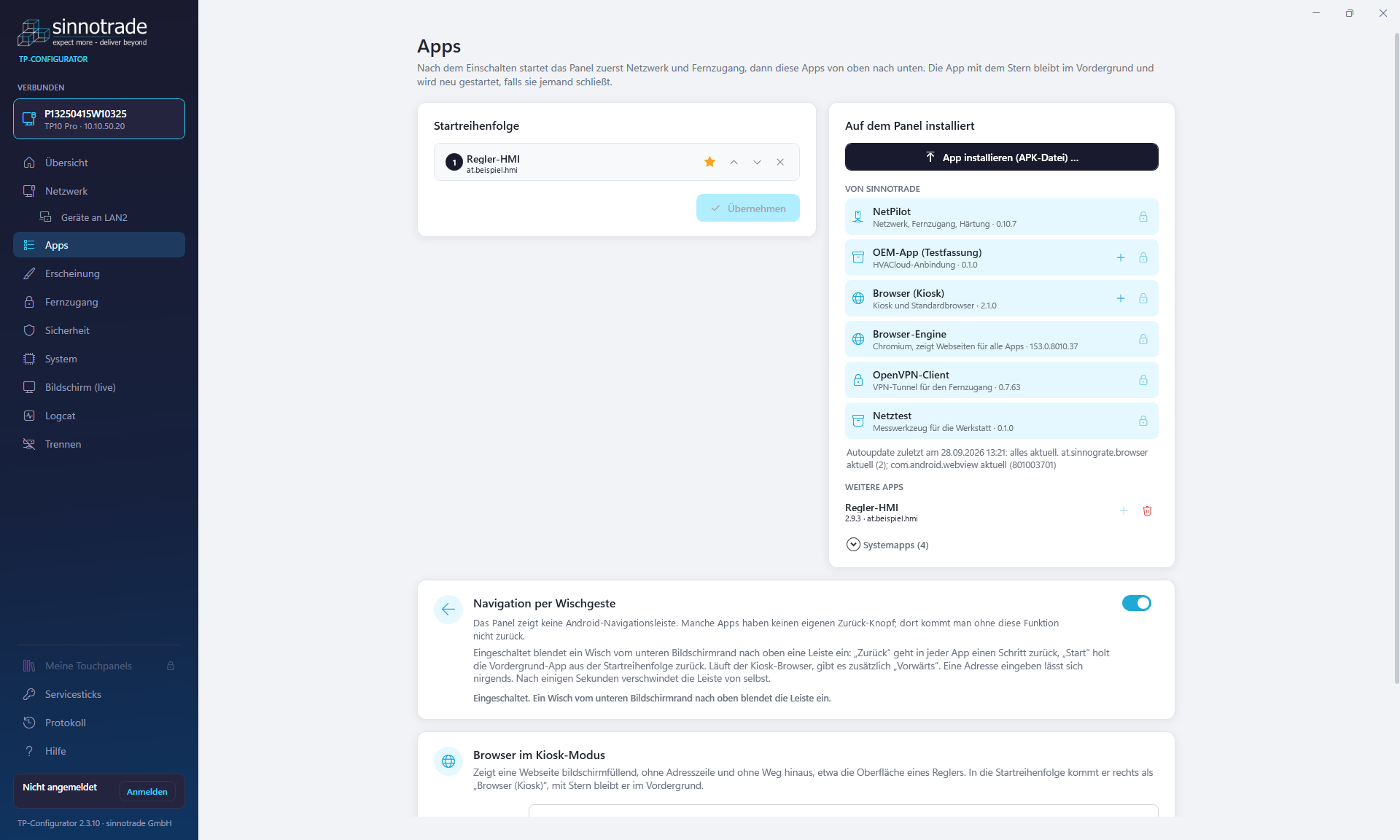
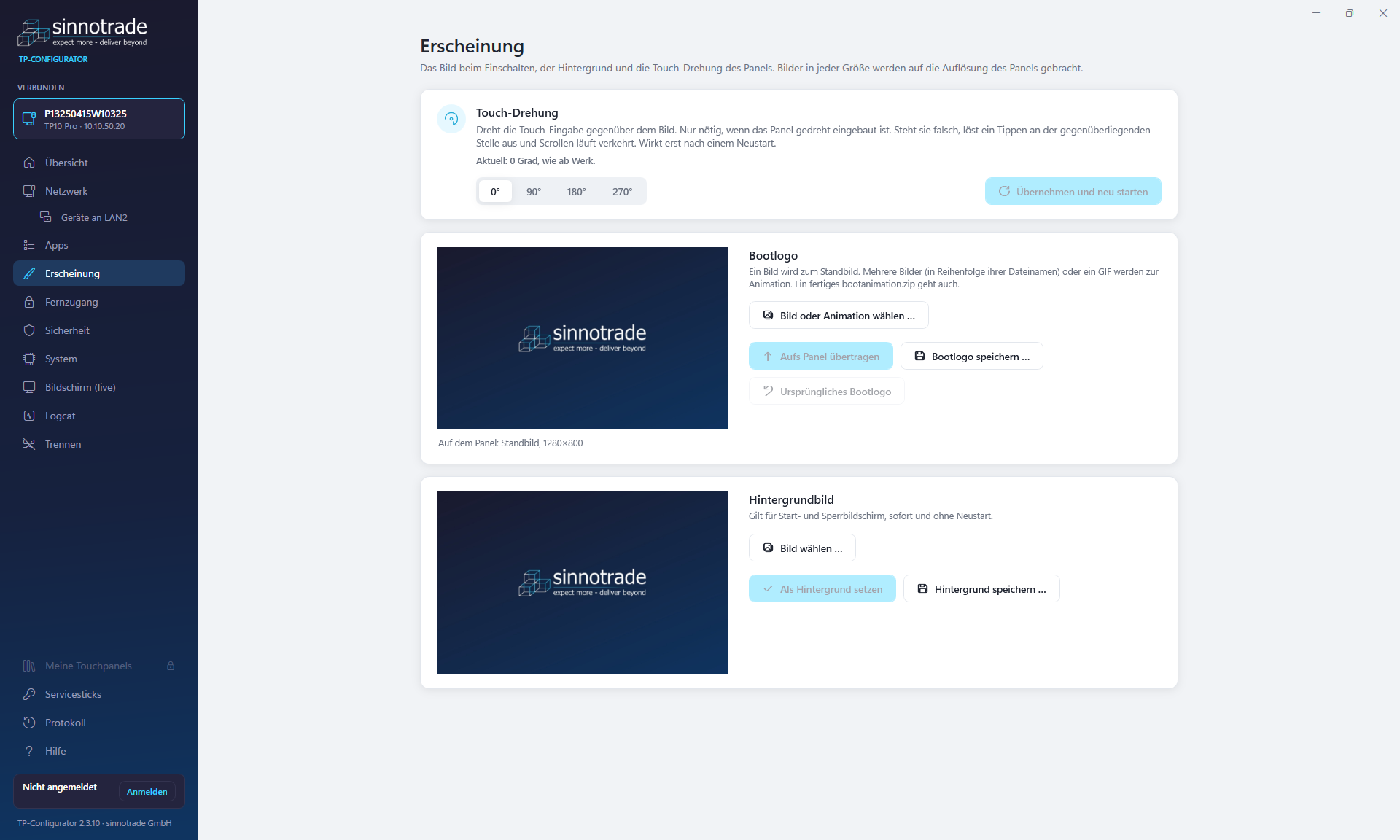
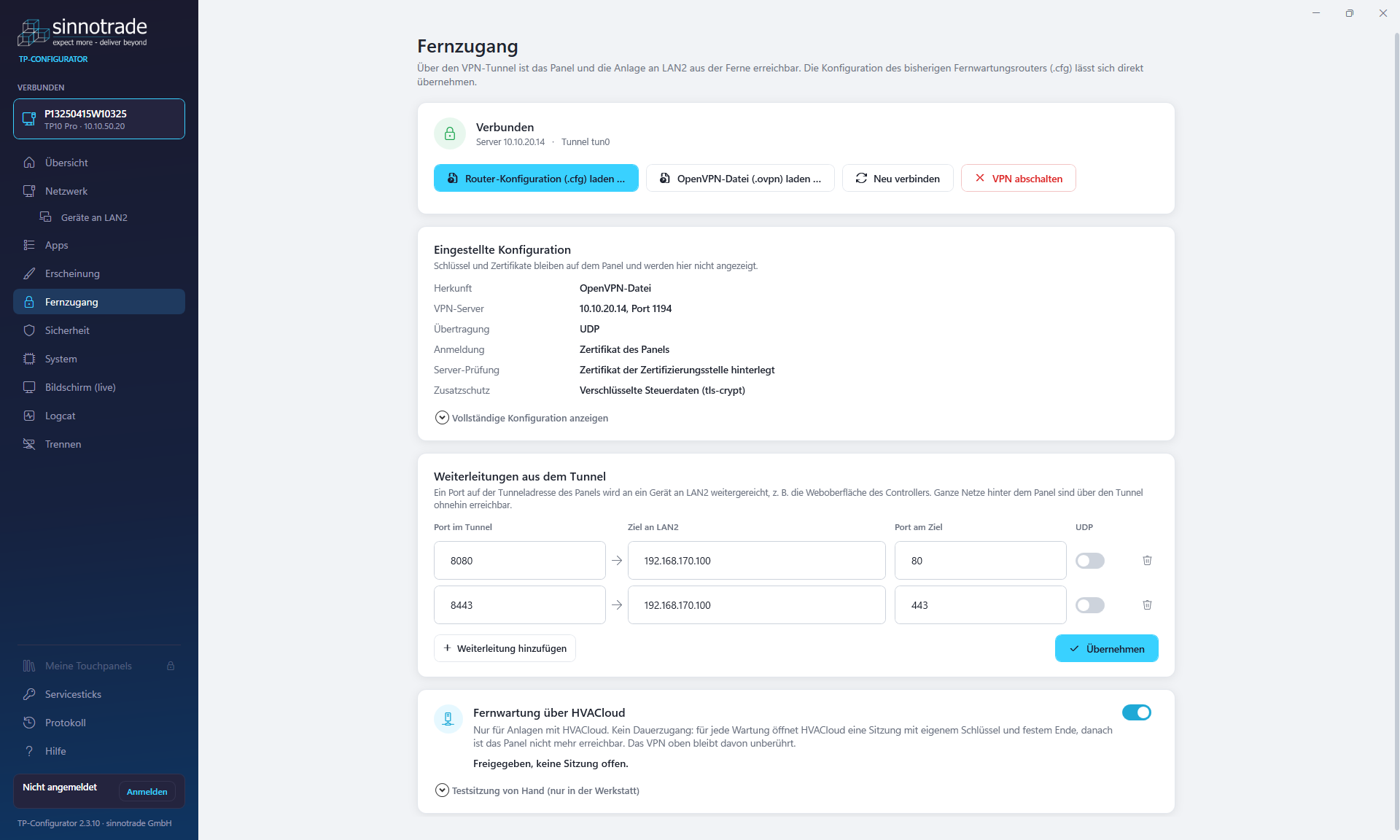
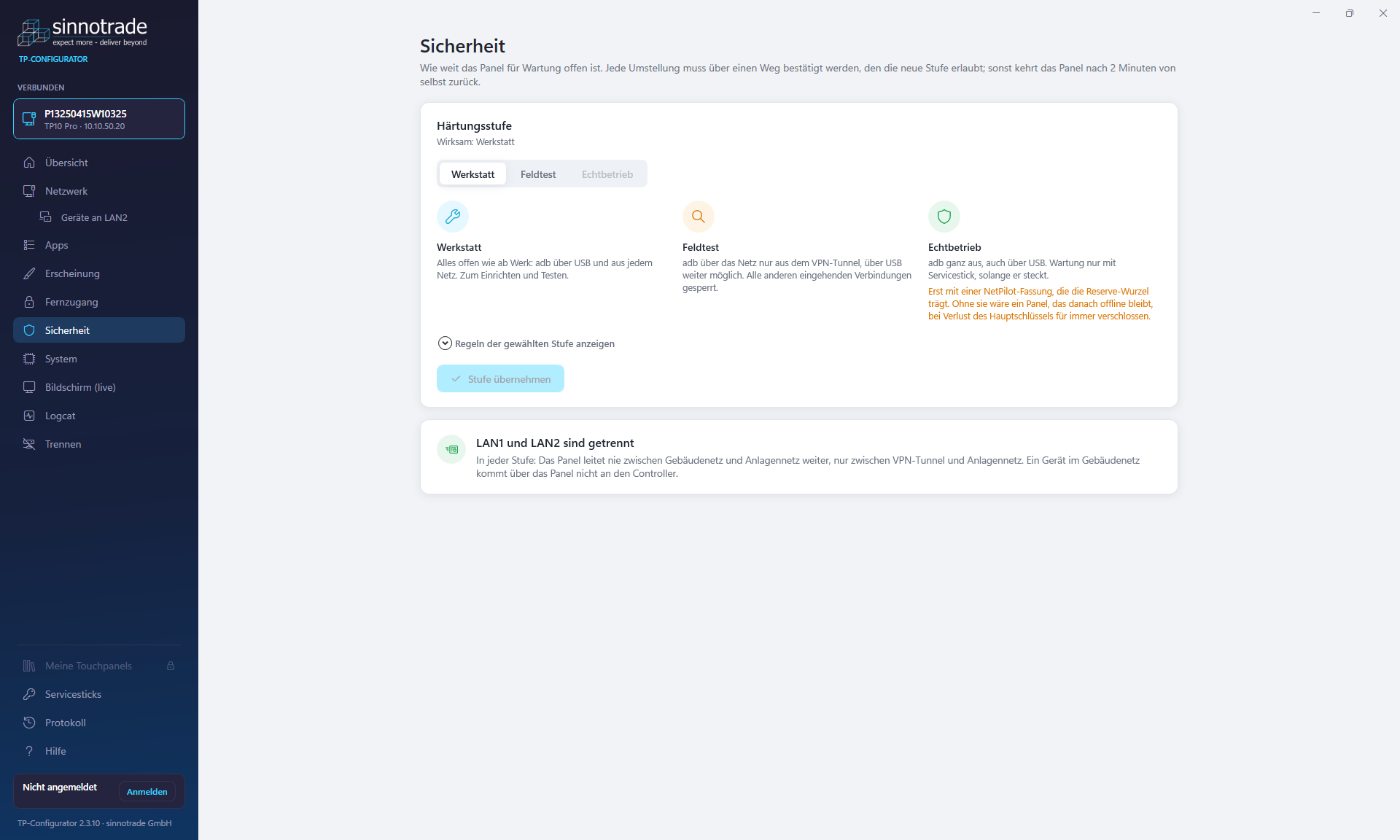
TP-Configurator for setup and operation
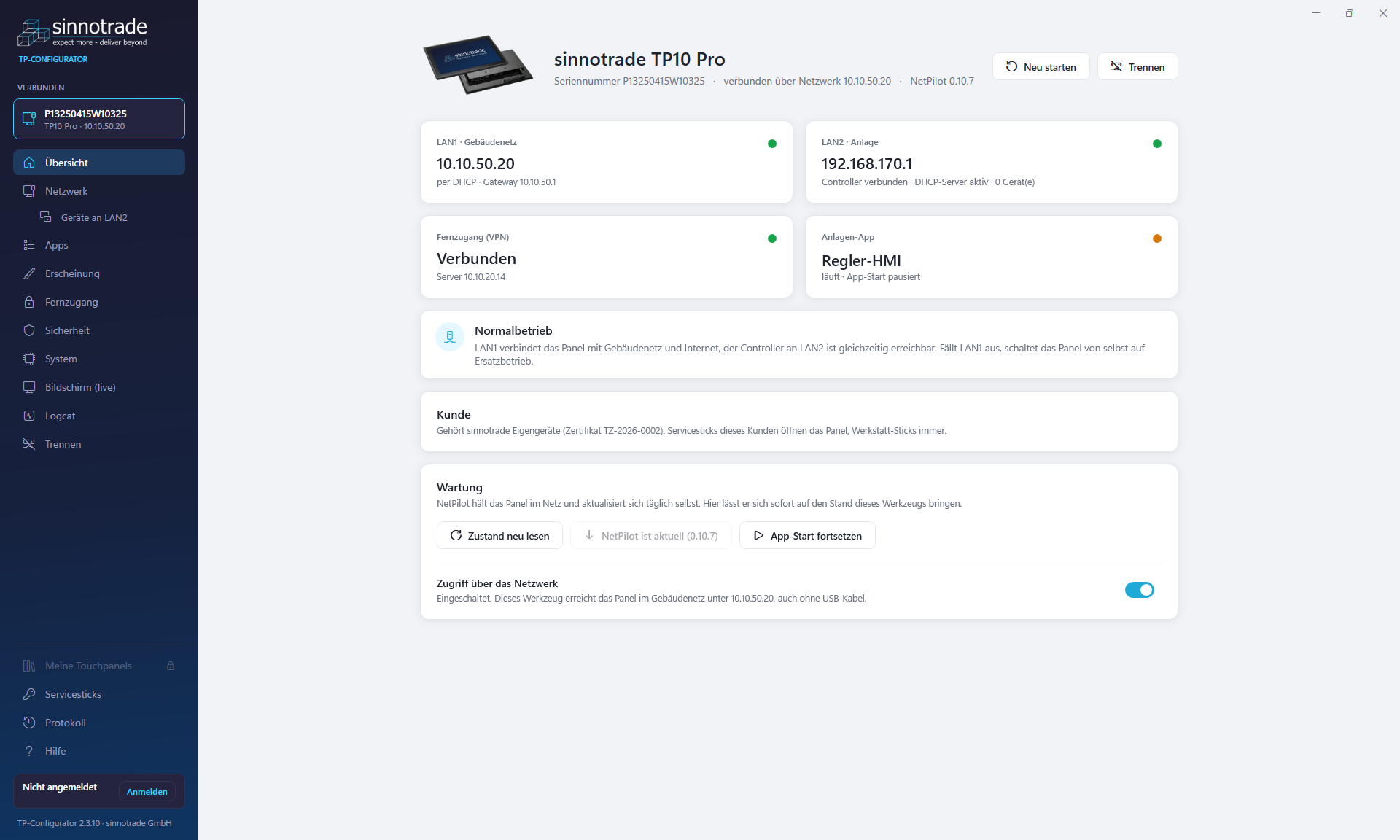
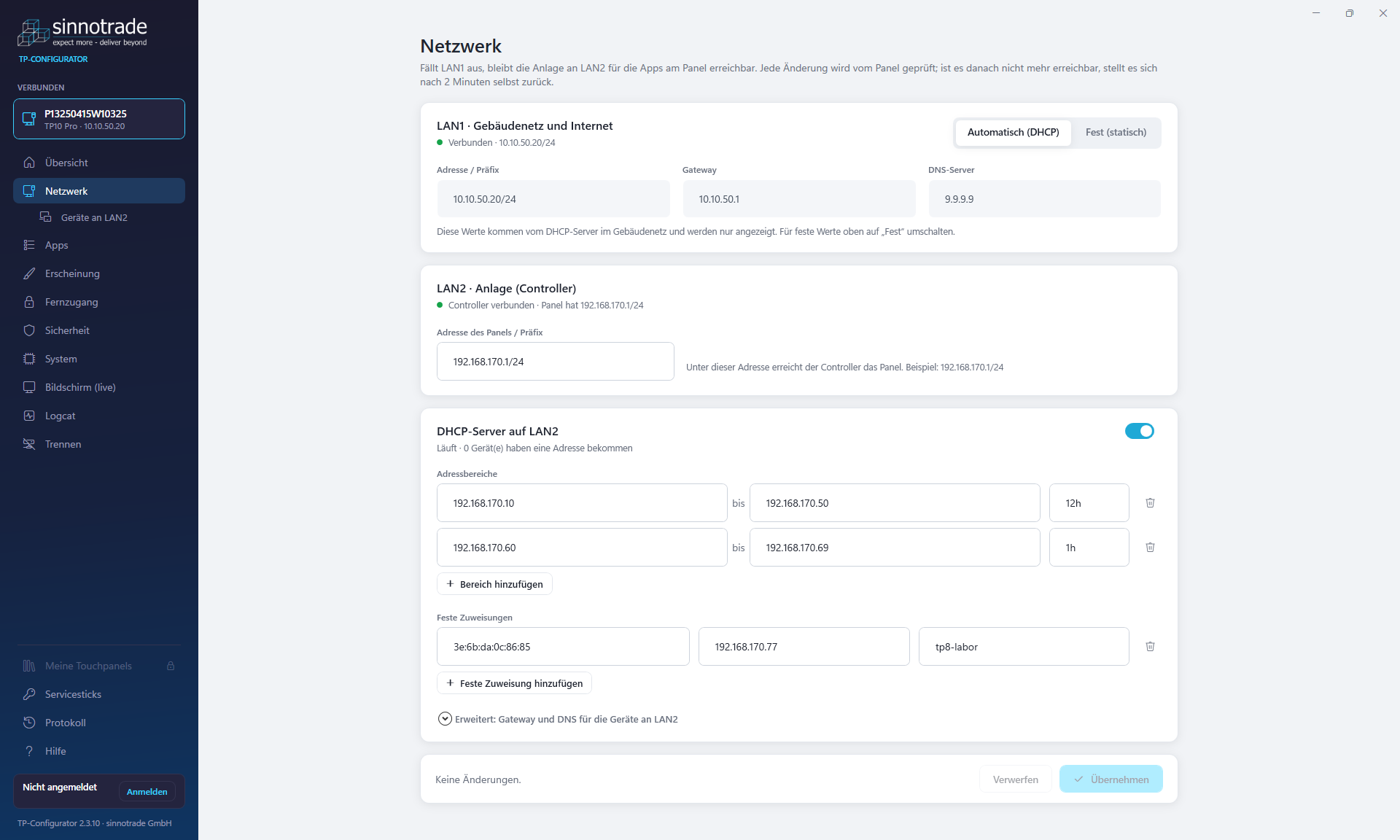
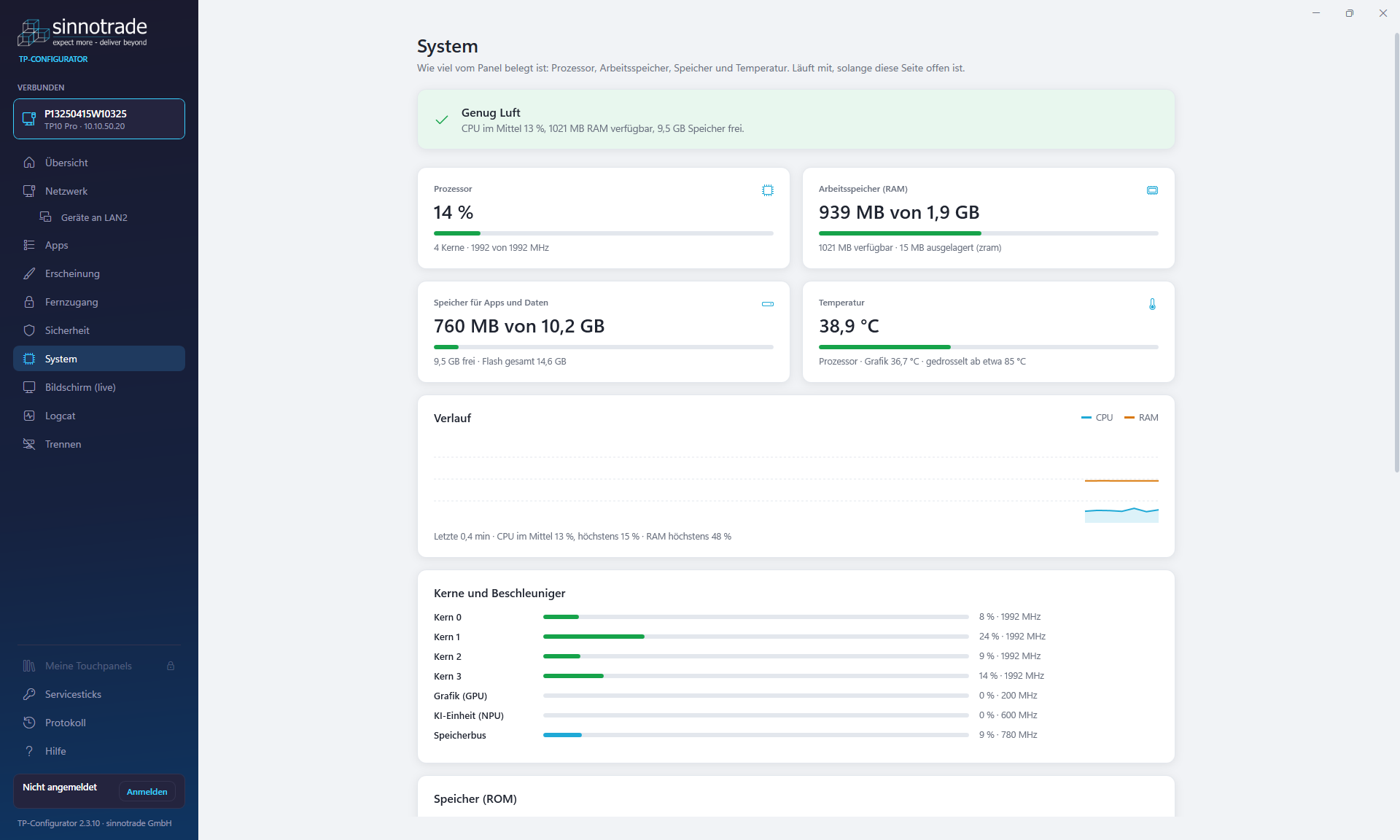
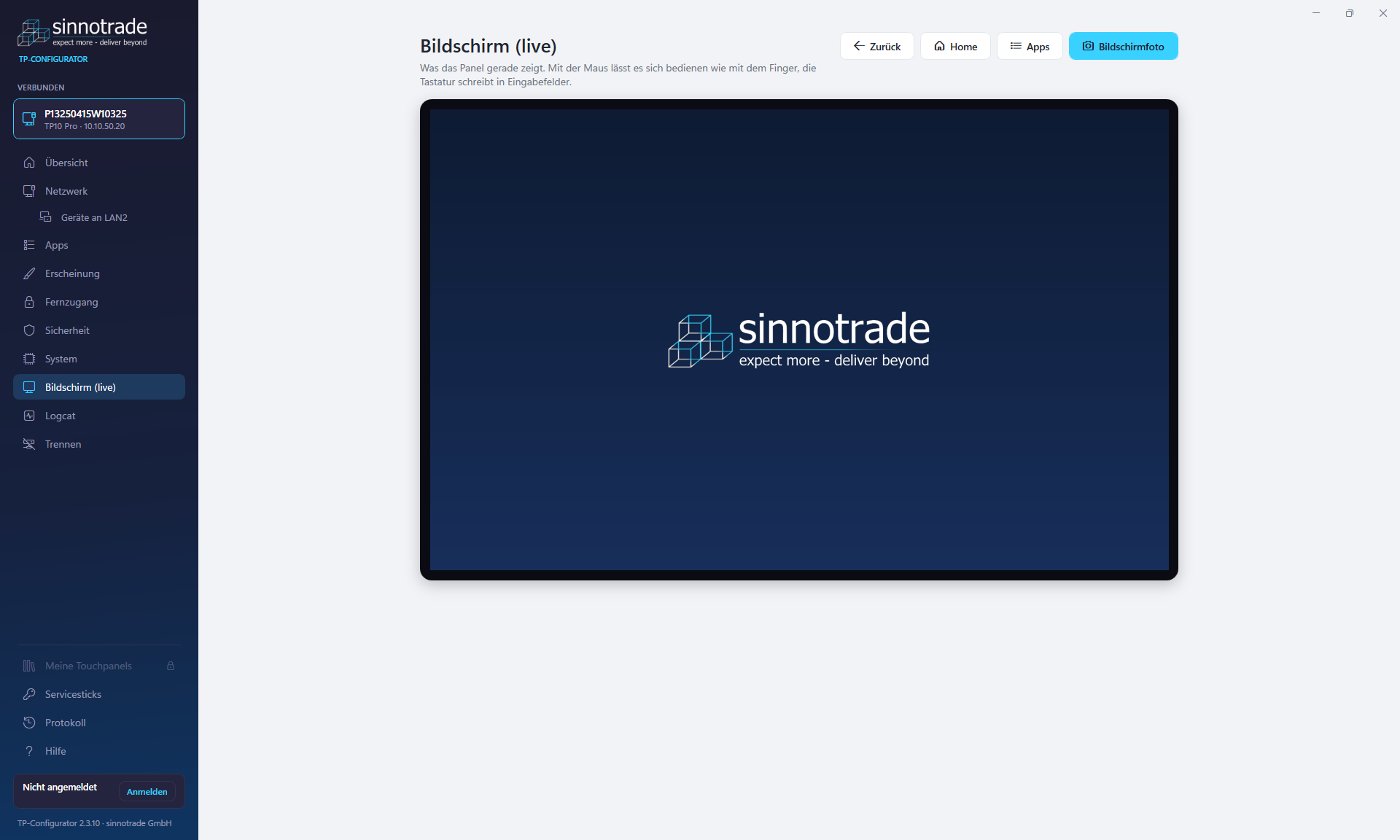
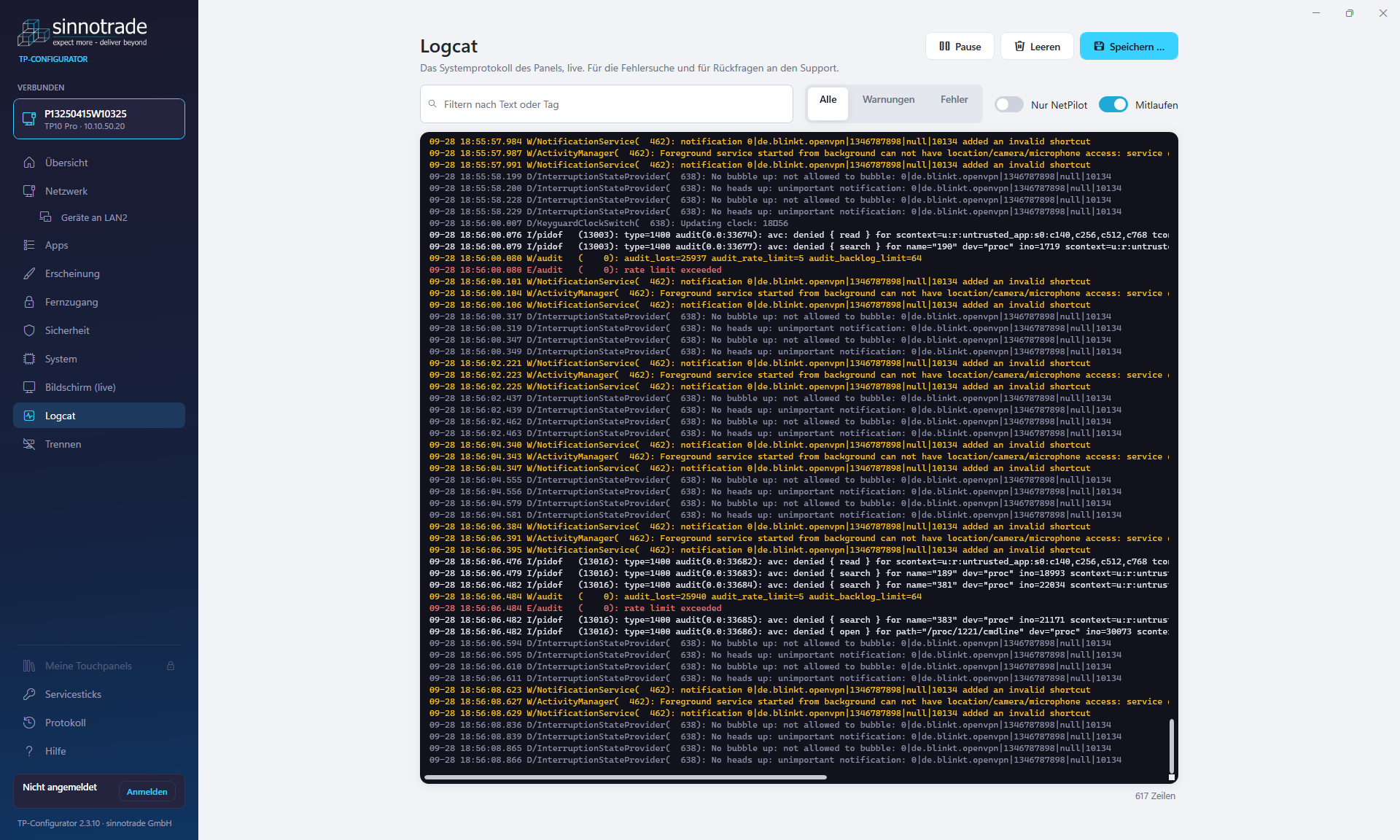
The TP-Configurator sets up sinnotrade Pro touchpanels over USB or the network and keeps them running. It shows every change before it is made, and the panel has to confirm it. Without confirmation, the panel reverts on its own after two minutes, so nobody locks themselves out with a wrong address. The tool recognises panels with Android and with sinnux by itself.
Network
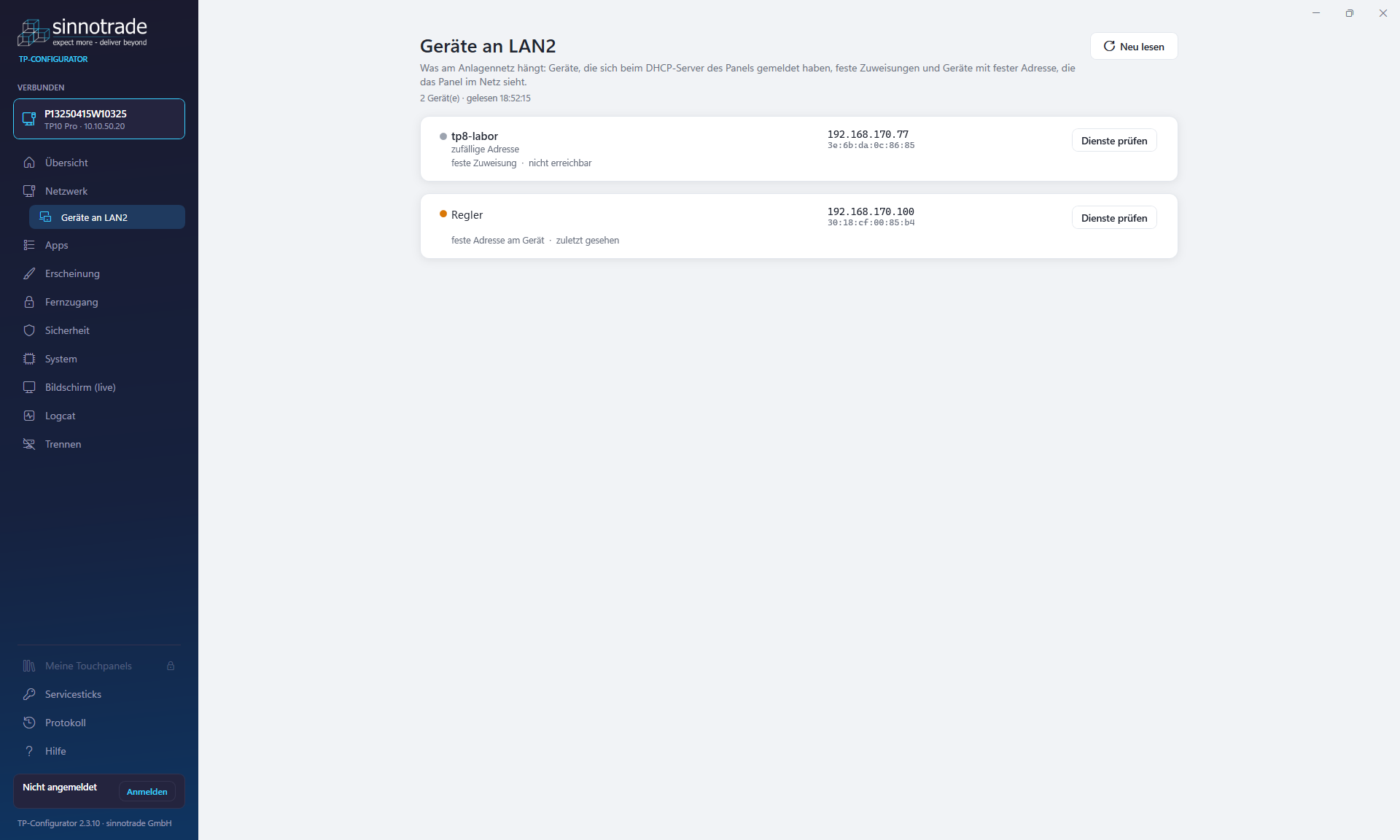
LAN1 and LAN2 separated, DHCP server, devices on LAN2
Apps
Start order, kiosk browser, trusted apps only
Security
Hardening levels and service sticks
Remote access
VPN, port forwarding, remote maintenance via HVACloud
Operation
System load, remote control of the screen, logcat
Appearance
Boot logo, wallpaper, schedule
Factory Tools: Production Optimization
Specially developed for serial manufacturers and OEM customers: Our Factory Tools enable efficient mass programming and quality testing of touchpanels directly on the production line. Automated test sequences, burn-in procedures and configuration templates significantly reduce commissioning time.
Batch Programming
Simultaneous configuration of multiple devices
Automated Testing
Display, Touch, Interfaces
Templates
Reusable configurations
Logging
Complete QA documentation
Field Commissioning: On-Site Setup
For system integrators and service technicians in the field: The Field Commissioning Tools enable fast and error-free on-site commissioning. With mobile app support, diagnostic functions and remote maintenance capabilities, you're well equipped for any deployment.
Mobile App
Configuration via smartphone/tablet
Diagnostics
Error analysis and system status
Remote Access
Secure remote maintenance
Backup/Restore
Configuration backup
Updates, signed and reversible
Panels update themselves from the sinnotrade update server and accept only what sinnotrade has signed. After every update the panel checks itself; if it is not healthy, it returns to the previous version on its own. New features go to a test channel for selected panels first, and to all panels after that. Every version comes with a software bill of materials (SBOM).
Android
NetPilot and companion apps, checked daily
sinnux
The whole system as an A/B update
Test channel
Single panels first, then all
Rollback
Automatic when the panel is not healthy
Operating System Options
The TP10 Pro is available with two operating systems, the TP8 Pro with sinnux will follow. The same TP-Configurator sets up both.
Android
The familiar app based environment, hardened by our system service NetPilot: no third party services, signed updates and, if you wish, approved apps only.
- Wide choice of apps and tools
- Hardening levels and access by service stick
- Signed updates with automatic rollback
- HVACloud ready: remote maintenance in time limited sessions
sinnux (Linux)
Our own Linux system for applications where every component counts: reproducibly built, with SBOM, signed A/B updates and containers.
- Software bill of materials (SBOM) for every release
- Read only system, access by service stick only
- Signed A/B updates with automatic rollback
- Native interface or kiosk browser, plus containers
Tailored Solutions
Our touchpanels are delivered without pre-installed Google services or third-party applications, for good reason.
Privacy & Security
No telemetry, no cloud dependencies, no unwanted data connections. Your devices communicate only with systems you specify.
Full Control
No automatic updates from third parties, no surprises. You determine what software runs on your devices and when updates are applied.
Optimized Performance
Without background services and bloatware, full system performance is available for your application. Faster boot times and more responsive operation.
Custom Development
Together with our parent company sinnograte, we develop customer-specific applications: kiosk systems, HMI interfaces, visualizations and more.
Custom Application Development
Need a tailored software solution for your touchpanels? Our parent company sinnograte develops custom applications, from simple kiosk applications to complex HMI systems.
Visit sinnograteInterested in our software solutions?
Contact us for personal consultation or register for access to technical documentation and software downloads.
Register now